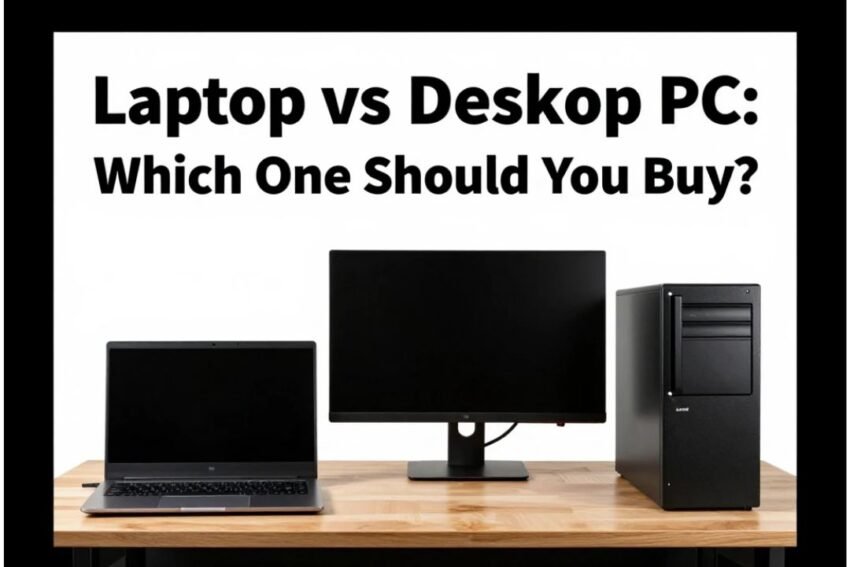
Complete Buying Guide + Best Options
Deciding between a laptop and a desktop PC is one of the most common questions tech buyers face. Both devices serve the same purpose — computing — but they do it in different ways. The best choice depends on your priorities: portability, performance, upgradability, budget, or specific tasks like gaming or creative work. In this guide, you’ll learn the differences, pros and cons, real use cases, and top options for both laptops and desktop PCs in 2026.
🖥️ Laptop vs Desktop: What’s the Difference?
Laptop:
A compact, all‑in‑one device with built‑in screen, keyboard, and trackpad. Great for working from anywhere.
Desktop PC:
A stationary system consisting of a tower and external peripherals (monitor, keyboard, mouse). Typically more powerful and upgradeable.
🔎 Laptops: Pros & When You Should Choose One
📌 Pros of Laptops
✔ Portability: You can work, study, or game from anywhere — home, office, coffee shop, or travel.
✔ All‑in‑One: Comes with screen, keyboard, battery, and trackpad ready to use.
✔ Battery Powered: No need to be plugged in all the time — ideal for on‑the‑go productivity.
✔ Instant Setup: Ready to use right out of the box with minimal assembly.
🧠 Best for:
- Students and remote workers
- Frequent travelers
- Everyday productivity and content consumption
- Light to moderate gaming and creative tasks
📌 Cons of Laptops
❌ Usually more expensive for the same performance compared with desktops.
❌ Limited upgradability — most parts are fixed.
❌ Performance can be throttled due to smaller cooling systems.
🔧 Desktop PCs: Pros & When You Should Choose One
📌 Pros of Desktops
✔ Higher Performance: Can house full‑size components with better cooling and performance.
✔ Better Value: For the same money, desktops usually deliver more power.
✔ Upgradability: Easily swap or upgrade parts like GPU, CPU, RAM, storage.
✔ Improved Longevity: You can refresh components to extend lifespan.
🧠 Best for:
- Hardcore gamers
- Creative professionals (video editing, 3D design)
- Power users
- Home offices where portability isn’t needed
📌 Cons of Desktops
❌ Not portable — fixed in one location.
❌ Requires more space with monitor, keyboard, and mouse.
🔍 Laptop vs Desktop: Quick Comparison
| Factor | Laptop | Desktop PC |
|---|---|---|
| Portability | ⭐ High | ⭐ Low |
| Performance | Good | ⭐⭐⭐ Excellent |
| Upgradability | Low | ⭐⭐⭐ High |
| Price to Performance | Mid | ⭐⭐⭐ Better |
| Best Use | On‑the‑go work | Power tasks at one location |
| Battery | Yes | No |
💡 How to Choose Which One Is Right for You
🧑🎓 1. Mobility Needed?
- Yes → Laptop
- No → Desktop PC
💼 2. Primary Use Case
- Productivity, schoolwork, travel → Laptop
- Heavy workloads, gaming, professional apps → Desktop
💰 3. Budget Constraints
- On a tight budget and need max power → Desktop
- Willing to pay more for convenience → Laptop
🎮 4. Gaming & Performance
Desktops generally outperform laptops at the same price due to larger cooling and bigger GPUs.
🔥 Best Laptop Picks to Buy in 2026
Whether you need portability, performance, or creative power — here are top laptops worth considering:
Acer 14″ Aspire 14 AI Laptop Copilot+ PC
$849.99
4.5
Microsoft Surface Laptop Copilot+ PC
$1,499.99
4.6
Samsung Galaxy Book5 Pro
$1,199.99
4.4
Asus ROG Zephyrus G16 Laptop
$2,149.99
4.4
Asus ROG Strix G16 Laptop
$1,399.00
4.6
Lenovo Legion 5i Gaming Laptop
$999.99
4.5
HP ZBook 8 G1i Mobile Workstation
$2,249.00
4.5

Apple 16‑inch MacBook Pro
$2,158.00
4.8
💻 Top Portable & All‑Around Laptops
- Acer 14″ Aspire 14 AI Laptop Copilot+ PC – Excellent value for productivity, multitasking, and everyday use.
- Microsoft Surface Laptop Copilot+ PC – Premium Windows experience with AI‑enhanced productivity.
- Samsung Galaxy Book5 Pro – Strong performance and sleek design for work and creativity.
🕹️ Gaming & Power Users
- Asus ROG Zephyrus G16 Laptop – Top choice for high‑end gaming and creative workloads.
- Asus ROG Strix G16 Laptop – Great balance of gaming power and portability.
- Lenovo Legion 5i Gaming Laptop – Solid performance at a competitive price.
💼 Professional & Creator Devices
- HP ZBook 8 G1i Mobile Workstation – For professionals needing workstation‑level performance.
- Apple 16‑inch MacBook Pro – Exceptional performance and display for creators and pros.
🖥️ Best Desktop PCs to Buy in 2026
If performance and upgradability matter more than portability, these desktops deliver excellent value and capability:
Apple Mac mini M4
$599.00•Compact Mac mini ideal for home or office use.
4.8
Dell Pro Max Tower T2 Desktop
$1,642.99•Powerful desktop with high ratings for demanding tasks.
4.1
iBUYPOWER Element 9 Pro Gaming PC
$2,249.99•High-performance gaming PC with strong reviews.
4.4
Alienware Area‑51 Gaming Desktop
$5,399.99•Premium gaming desktop suited for serious gamers.
4.6

Dell Slim Desktop Ecs1250
$729.99•Affordable slim desktop for everyday computing.
4.5

Dell Pro QCS1250 Desktop Computer
$999.00•Reliable desktop with solid reviews for general use.
4.4

ASUS ROG GM700 Gaming Desktop
$1,899.99•High-end gaming desktop with excellent ratings.
4.8
GEEKOM AMD NUC A6 Mini PC
$749.00•Compact mini PC for versatile computing needs.
4.7
🏠 Everyday & All‑Purpose PCs
- Apple Mac mini M4 – Compact and powerful choice for home, school, and creative work.
- Dell Pro QCS1250 Desktop Computer – Strong performance for office and general use.
- Dell Slim Desktop Ecs1250 – Great value desktop with modern specs.
- GEEKOM AMD NUC A6 Mini PC – Compact mini‑PC option for small spaces.
🕹️ Performance & Gaming
- Dell Pro Max Tower T2 Desktop – Powerful tower for demanding workflows.
- iBUYPOWER Element 9 Pro Gaming PC – Great choice for dedicated gaming rigs.
- ASUS ROG GM700 Gaming Desktop – High‑end gaming and creation powerhouse.
- Alienware Area‑51 Gaming Desktop – Top‑tier performance for enthusiasts.
🧠 How to Decide Step‑by‑Step
🔹 1. Assess Your Use Case
- Portability needed? Laptop wins
- Stationary and performance priority? Desktop wins
🔹 2. Set Your Budget
Desktops often deliver better raw performance per dollar, while laptops pack convenience and mobility.
🔹 3. Think Long‑Term
If you want to upgrade over time (add a better GPU or more RAM), desktops are usually easier and cheaper to expand.
🔹 4. Space & Lifestyle
Laptops fit anywhere and are ready to go; desktops require a dedicated desk but provide more power and flexibility.
📌 Conclusion: Laptop or Desktop?
There’s no universal “better” choice — the right device depends on how you plan to use it.
- Choose a laptop if you value mobility, convenience, and productivity on the go.
- Choose a desktop PC if performance, customization, and long‑term value are priorities.
By understanding your needs and comparing the strengths of each device, you can confidently pick the system that best fits your lifestyle and goals in 2026.